

Problem
What this replaces on site
A biometric dump answers Present or Absent. It cannot tell you whether the night guard walked the route, whether housekeeping closed tickets, or whether a no-show blocked a planned job.
Who uses it
The people on this module
-
Guards, housekeeping, technicians, contract labour
Punch in at the site. Do the work assigned to that shift.
-
Shift supervisors
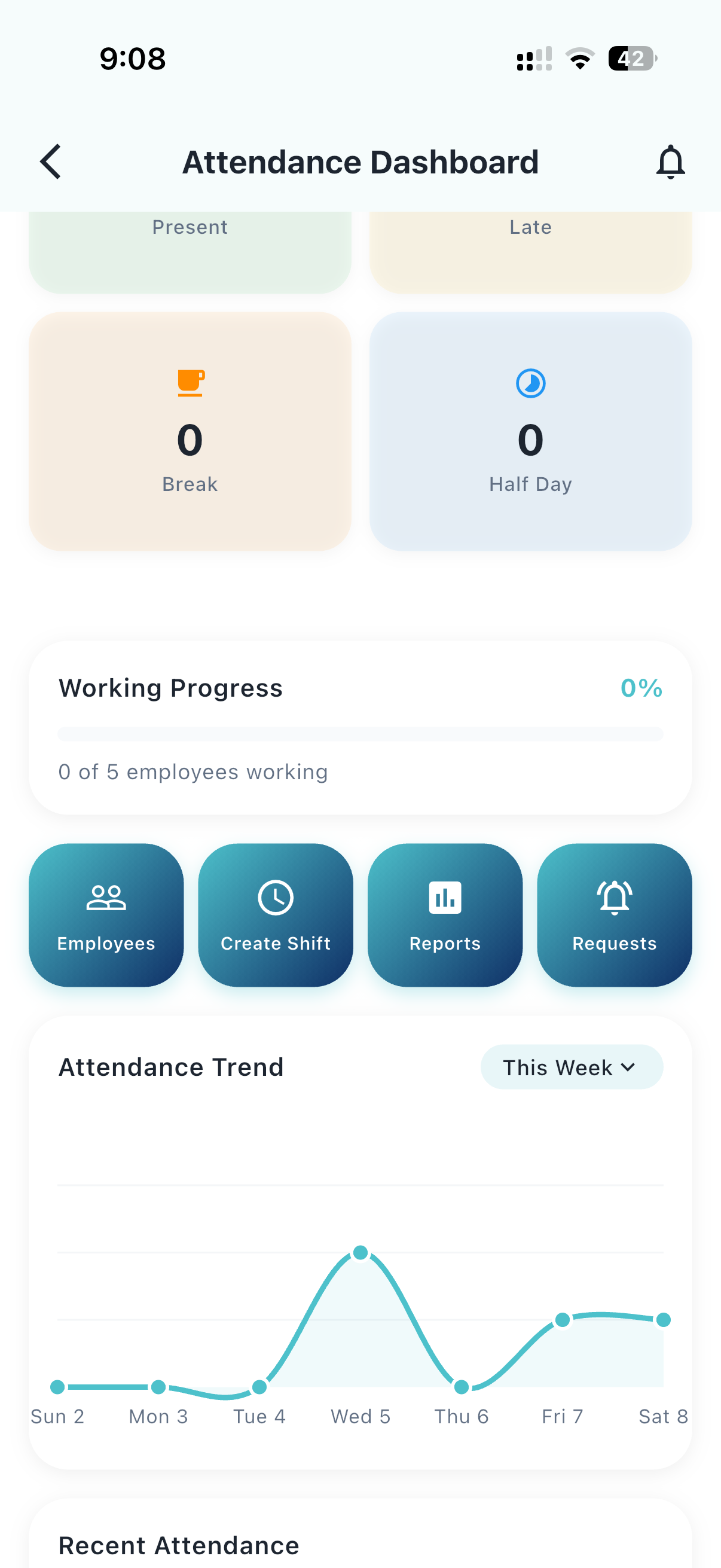
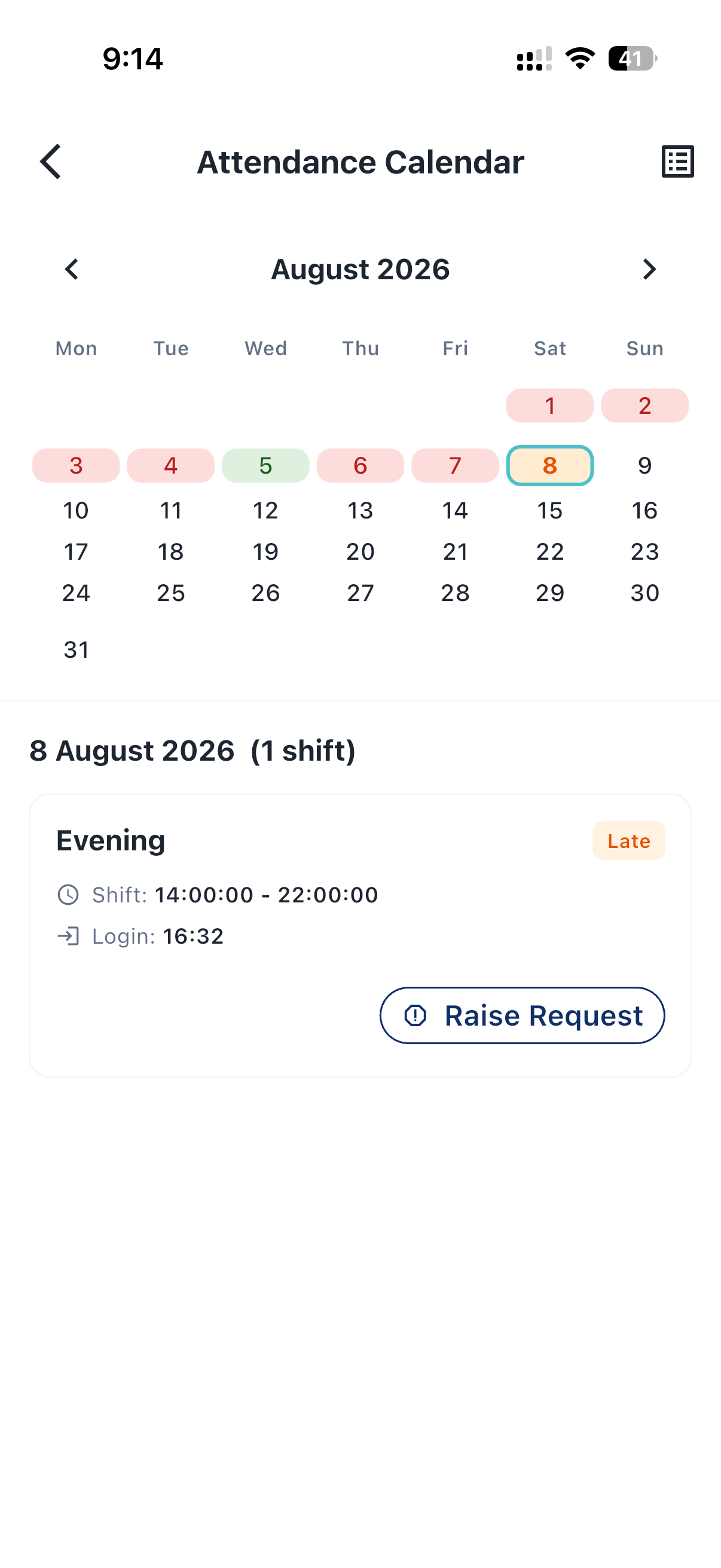
See who is on the floor now, and who is late or missing.
-
Facility / property managers
Match headcount to tickets, patrols, and outcomes.
How to use
Three steps to start
-
Step 01
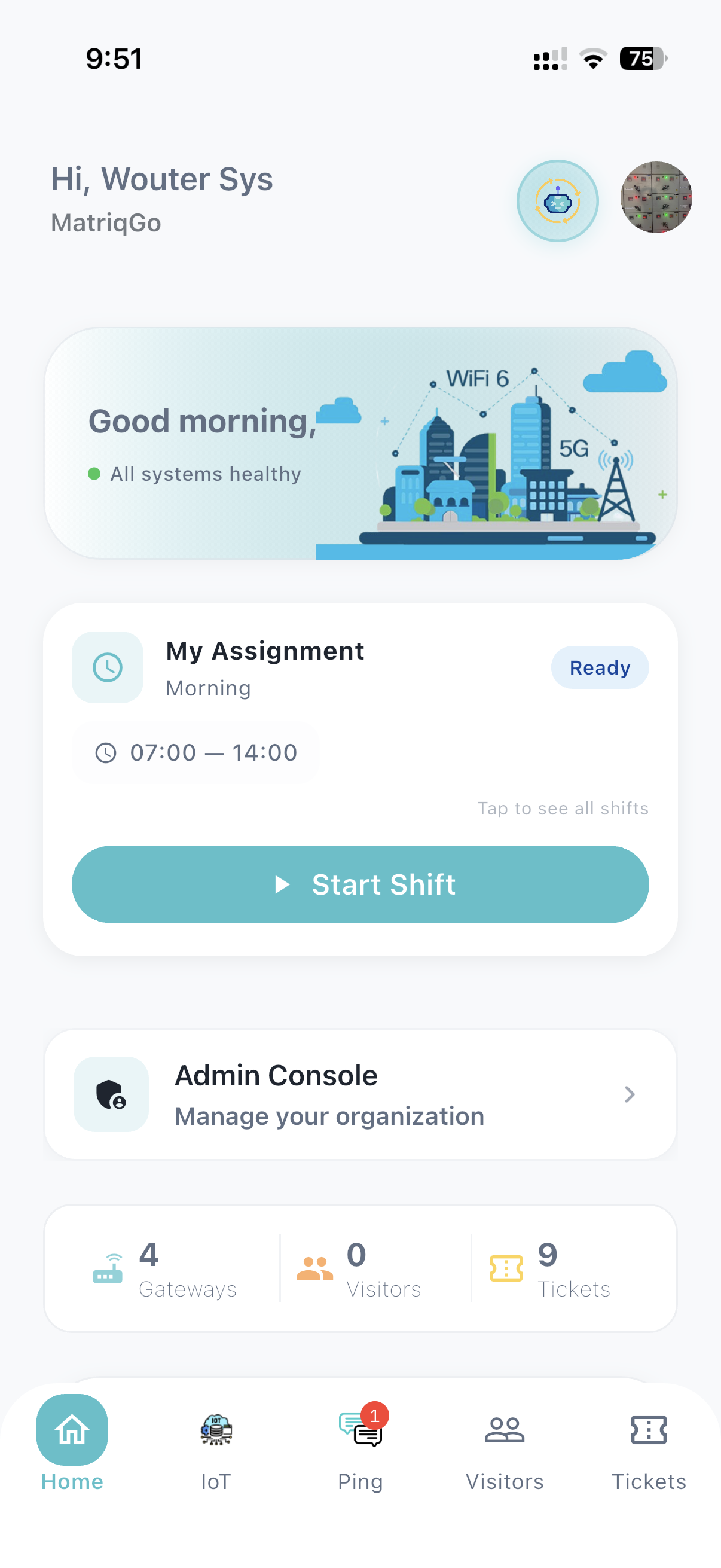
Start the shift on site
Geo-fenced punch on the app. The assignment and the fence are the same fact.
-
Step 02
Work the tickets and patrols for that shift
Presence is not the product. The shift picks up jobs and routes on the same phone.
-
Step 03
Close the day against work done
Supervisors see exceptions. Managers see whether the crew produced outcomes, not only attendance.
Different from Present / Absent
Shift → work → patrols and tickets → productivity. Workforce here is guards, housekeeping, technicians, and contract labour — not an HR-only register.
Attendance is the first operational fact of a facility. Pulse treats a punch as the start of a shift that should produce work — tickets, patrols, evidence — not a row that payroll reconciles a month later.